ไอดีเกม Android Exporter for Clickteam Fusion 2.5 DLC - Steam มือสอง ราคาถูกที่สุด เริ่มต้น   เปลี่ยนอีเมลได้ เล่นได้ทั่วโลก รับประกัน 30 วัน รับของในทันที

ANDROID EXPORTER FOR CLICKTEAM FUSION 2.5 DLC

คีย์เกม Android Exporter for Clickteam Fusion 2.5 DLC - Steam ราคาถูกที่สุด 2475 THB เล่นได้ทั่วโลก เติมเข้าไอดีตัวเอง รับประกันถาวร

คีย์เกม Android Exporter for Clickteam Fusion 2.5 DLC - Steam ราคา 2475 THB รับประกันถาวร ราคาถูกที่สุดในไทย ส่งไวในทันที 24/7 รับบัญชีเกมภายใน 1-2 นาที. เติมเข้าไอดีตัวเกมได้ รับประกันถาวร สามารถชำระเงินผ่าน Promtpay, Truewallet steam key Android Exporter for Clickteam Fusion 2.5 DLC ราคาถูก, คีย์ steam Android Exporter for Clickteam Fusion 2.5 DLC ราคาไทย, steam Android Exporter for Clickteam Fusion 2.5 DLC cd key ถูกที่สุด, steam Android Exporter for Clickteam Fusion 2.5 DLC activation key, ซื้อคีย์เกม steam Android Exporter for Clickteam Fusion 2.5 DLC ออนไลน์, steam Android Exporter for Clickteam Fusion 2.5 DLC game code thailand, เติม steam Android Exporter for Clickteam Fusion 2.5 DLC ด้วยคีย์, steam Android Exporter for Clickteam Fusion 2.5 DLC license key ราคาถูก, steam Android Exporter for Clickteam Fusion 2.5 DLC key global ใช้ได้ทั่วโลก, steam Android Exporter for Clickteam Fusion 2.5 DLC product key แท้, cd key steam Android Exporter for Clickteam Fusion 2.5 DLC pc, คีย์เกม Android Exporter for Clickteam Fusion 2.5 DLC ราคาถูก 2024, steam Android Exporter for Clickteam Fusion 2.5 DLC digital key, steam key Android Exporter for Clickteam Fusion 2.5 DLC instant delivery, steam Android Exporter for Clickteam Fusion 2.5 DLC key ราคาไทย, ซื้อคีย์เกม Android Exporter for Clickteam Fusion 2.5 DLC, steam Android Exporter for Clickteam Fusion 2.5 DLC key ส่งเร็ว, steam Android Exporter for Clickteam Fusion 2.5 DLC activation code thai, เติมไอดี steam Android Exporter for Clickteam Fusion 2.5 DLC, steam Android Exporter for Clickteam Fusion 2.5 DLC redeem code, steam key Android Exporter for Clickteam Fusion 2.5 DLC asia

แพลตฟอร์ม

Steam logo STEAM

ภูมิภาค

ทั่วโลก

ประเภท

CD-KEY

การรับประกัน

รับประกันถาวร

0 ขายแล้ว

0 เข้าชม

฿ 2,475.00

รายละเอียดสินค้า

สิ่งที่คุณจะได้รับหลังจากการซื้อสินค้า

  • - คีย์สินค้า สามารถเติมเข้าไอดีตัวเองได้ทันที
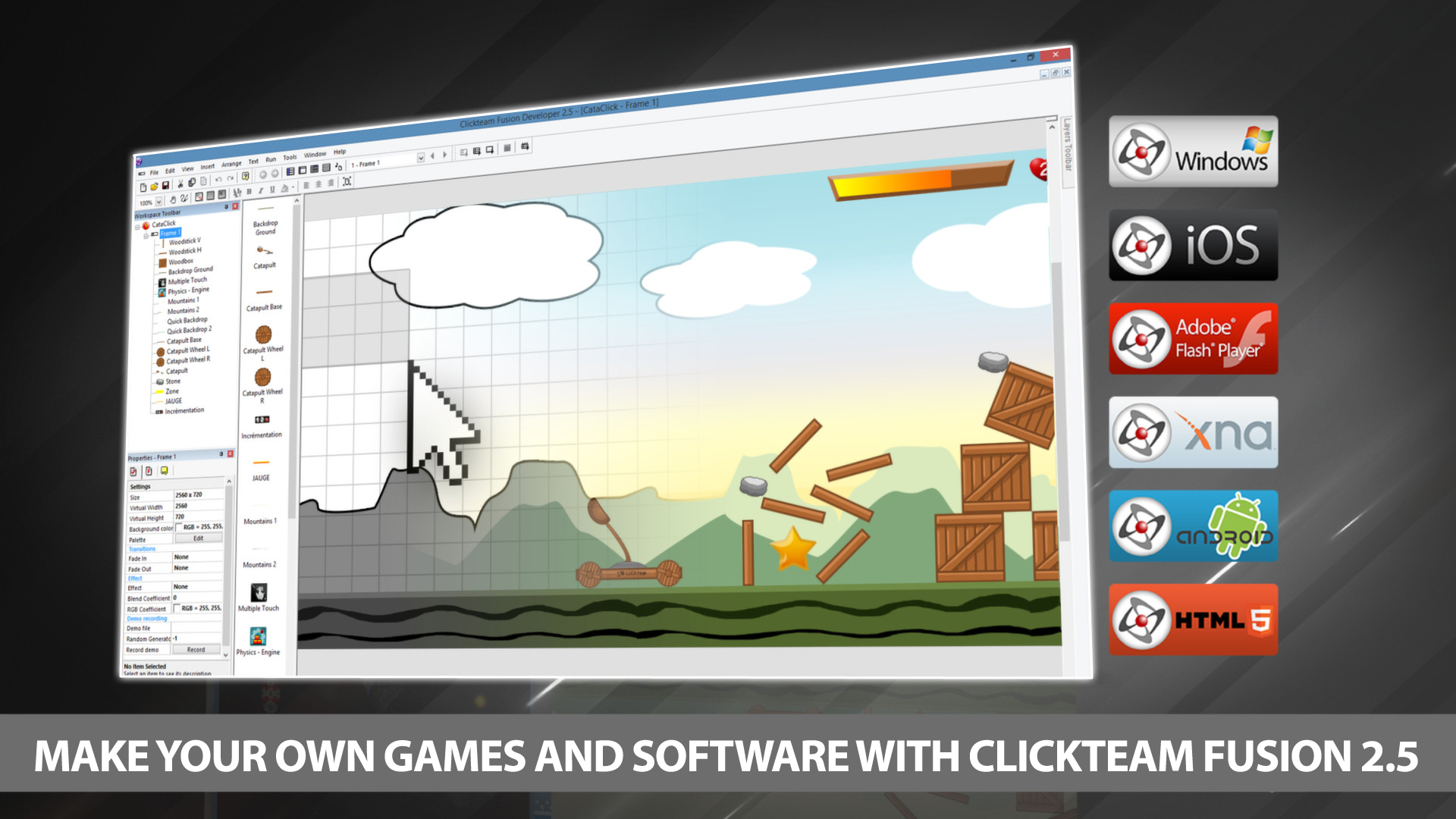
Ride the wave of creativity with the ever increasingly popular Android platform from Google. Developing Android applications using Clickteam Fusion 2.5 and Clickteam Fusion 2.5 Developer the Android export module gives you the power to create quality apps for Android quickly and effectively.

Using our unique drag and drop interface and the amazing event line editor you can create any kind of 2d game or app you can imagine for Android powered phones and Tablets. After your creation is complete simply click “Build & Run” and a APK file will be generated and installed on your test device all with one click (Auto Install supported on most devices).

Get into one of the fastest growing mobile software markets now with Clickteam Fusion 2.5 and the Android Exporter.

What do you need to create an Android application

You need to install Android Studio. After Android Studio is installed, open Clickteam Fusion 2.5, open the Preferences, select the General tab, and then select the Android exporter in the exporter list. You need to indicate the pathname of the Java SDK and the pathname of the Android SDK. Both are installed by Android Studio.

  • 1. The Java SDK is usually installed in the jre sub-directory of Android Studio, by default C:\Program Files\Android\Android Studio\jre. Verify this directory exists on your machine and use it as "Pathname of the JDK directory" in the preferences of Clickteam Fusion 2.5.
  • 2. The Android SDK is usually installed in your local Application Data directory, by default in C:\Users\YourName\AppData\Local\Android\Sdk. Replace YourName by your Windows user name. Verify this directory exists on your machine and use it as "Pathname of the Android SDK directory" in the preferences of Clickteam Fusion 2.5. If you can't find the mentioned folder, open Android Studio, open its Settings and select Android SDK in the list. The pathname of the Android SDK will be displayed in the Android SDK Location box.

And later when you want to release applications:

  • 1. You will need a certificate to sign your applications before being able to release them.
  • 2. If you want to publish applications on the Android Market, you will need to register a developer account on ($25).